OVERVIEW
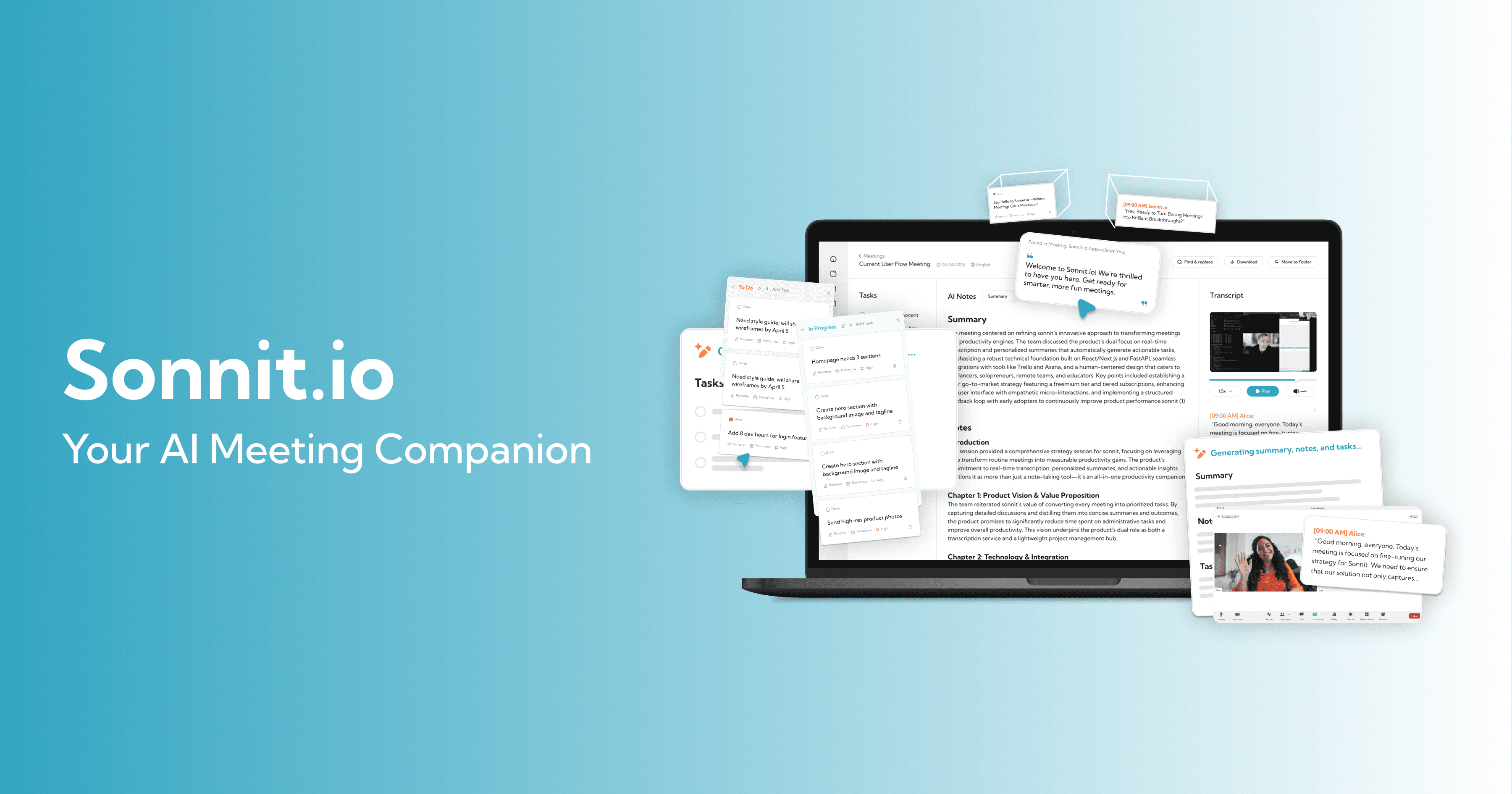
A self-built productivity tool that taught me to think like a product owner, not just a designer.
CLIENT/COMPANY
Personal Startup
ROLE
Product Designer & Developer
TIMELINE
Mar 2025 - Jun 2025
TOOLS
Cursor, Figma, Supabase, Next.js
PROBLEM
Freelancers Dont Need Better Transcripts. They Need Better Outcomes.
THE CHALLENGE
Here is the thing about freelancing, you are always in meetings. Client calls, syncs, check-ins. And during those calls, you are trying to do two things at once: actually listen to the person talking and write down everything important so you don't forget it later. I was dealing with this myself. I would finish a call and realize I had vague notes, missed half the action items, and no idea who was supposed to do what by when. So I tried the tools everyone recommends. Otter. Fireflies. Notta. They gave me transcripts, sure. But transcripts are not the point. Nobody wants to reread a 45-minute conversation. What I actually needed was someone to just tell me: here is what was decided, here is what you need to do, and here is when it was said. That is what Sonnit was built to solve. Not the transcript problem. The outcome problem.
Meeting
Conversation
Transcript
Summary
Tasks
THE IDEA
Sonnit was designed to bridge the gap between having a meeting and knowing what to do after it. Not just summarize, but highlight decisions, pull out tasks, and give users momentum after every call.
CONSTRAINTS
Solo developer and founder
I was the only person building this. Every feature had to be something I could realistically ship as a beginner developer.
LLM hallucinations
Summaries sometimes included made-up information. I tested and refined prompts extensively, but even then it was not perfect.
Zero funding
No research budget, no backend engineer, no other designers. Just me.
Limited user testing
I validated mostly through Reddit threads, forums, and async feedback from TikTok comments.
AUDIENCE
Built for People Like Me, Freelancers Drowning in Calls
WHO THEY ARE
Sonnit was designed for freelancers, solopreneurs, and small remote teams who are constantly on calls and don't have time to turn recordings into to-do lists.
Personas

Jordan, 28, Freelance UX Designer
Bio: Works across multiple client projects at once. Always multitasking. Hates admin work.
Pain Point: "I dont want to rewatch a recording just to remember one thing someone said."
Goal: Passive transcription that actually gives him useful follow-ups without extra effort.

Chris, 34, Startup Operator
Bio: Coordinates between design, dev, and client teams. Lives in meetings.
Pain Point: "I lose half the to-dos unless someone types them into Notion during the call."
Goal: Automatic task capture that slots into his existing workflow.
RESEARCH
Reddit Became My Research Lab
APPROACH
I could not afford to run a formal study. No budget, no team, no participants. So I went where freelancers already talk about their problems, Reddit. I spent weeks reading through threads in communities like r/freelance, r/productivity, and r/startups. I searched for phrases like "missed action items," "note-taking fatigue," and "meeting tool overload." What I found was not surprising, but it was consistent. People were not asking for better transcription. They wanted trust in their own memory, not a wall of text to scroll through later.
METHODS
Reddit analysis
Thematic synthesis
Competitive analysis
First-person testing
Reddit Quotes
Process
I tracked and analyzed recurring language patterns:"I cant catch everything clients say and it stresses me out""Tools like Otter give me way too much fluff""I hate when bots join my meetings""I forget exactly when something was discussed""Im tired of manually rewriting meeting notes after every call"
COMPETITOR AUDIT
Tool
Strengths
Gaps Sonnit Addressed
Otter.ai
Great transcription accuracy
Lacks action item system |
Fireflies.ai
Rich integrations
Feels bloated for solo use
Notta.ai
User-friendly and fast
No task layer
Notion
Flexible, customizable
Manual; no AI help
Takeaway
People wanted to be present in conversations and still walk away with everything they needed.
Having a bot “join” the meeting makes users feel unprofessional.
Users want ownership of their memory, not passive summaries.
Users don’t want to rewatch, they want to ask and get answers.
IDEATION
Knowing the Problem Made the Solution Obvious
APPROACH
Once I understood that the real pain was not transcription but follow-through, the product direction got a lot clearer. I did not need to build the best transcription tool. I needed to build the shortest path from "I just had a meeting" to "I know exactly what to do next." The hardest part of ideation was not coming up with features. It was saying no to them. I kept wanting to add integrations, team features, notification systems. But I was one person building this thing, and every feature I added was a feature I had to maintain. So I kept coming back to one question: does this help a freelancer get their action items faster? If not, it got cut.
HOW MIGHT WE
How might we help solo professionals stay fully present in meetings while still capturing everything they need to act on later?
IDEAS EXPLORED
Client Portal
Cut
A shared dashboard for clients to view their meeting notes, deliverables, and status
Added friction, raised privacy concerns, and introduced more UX challenges than it solved for an MVP
Real-Time AI Overlay
Cut
Summaries and tasks generated live during meetings on an overlay
Disrupted the flow of conversation; tested poorly with real transcripts and felt distracting
Global Smart Search Bar
Future
Natural language assistant to search past meetings, phrases, or follow-ups
Solves for long-term recall and gives the product “memory” over time
Summary > Task Bridge
Kept
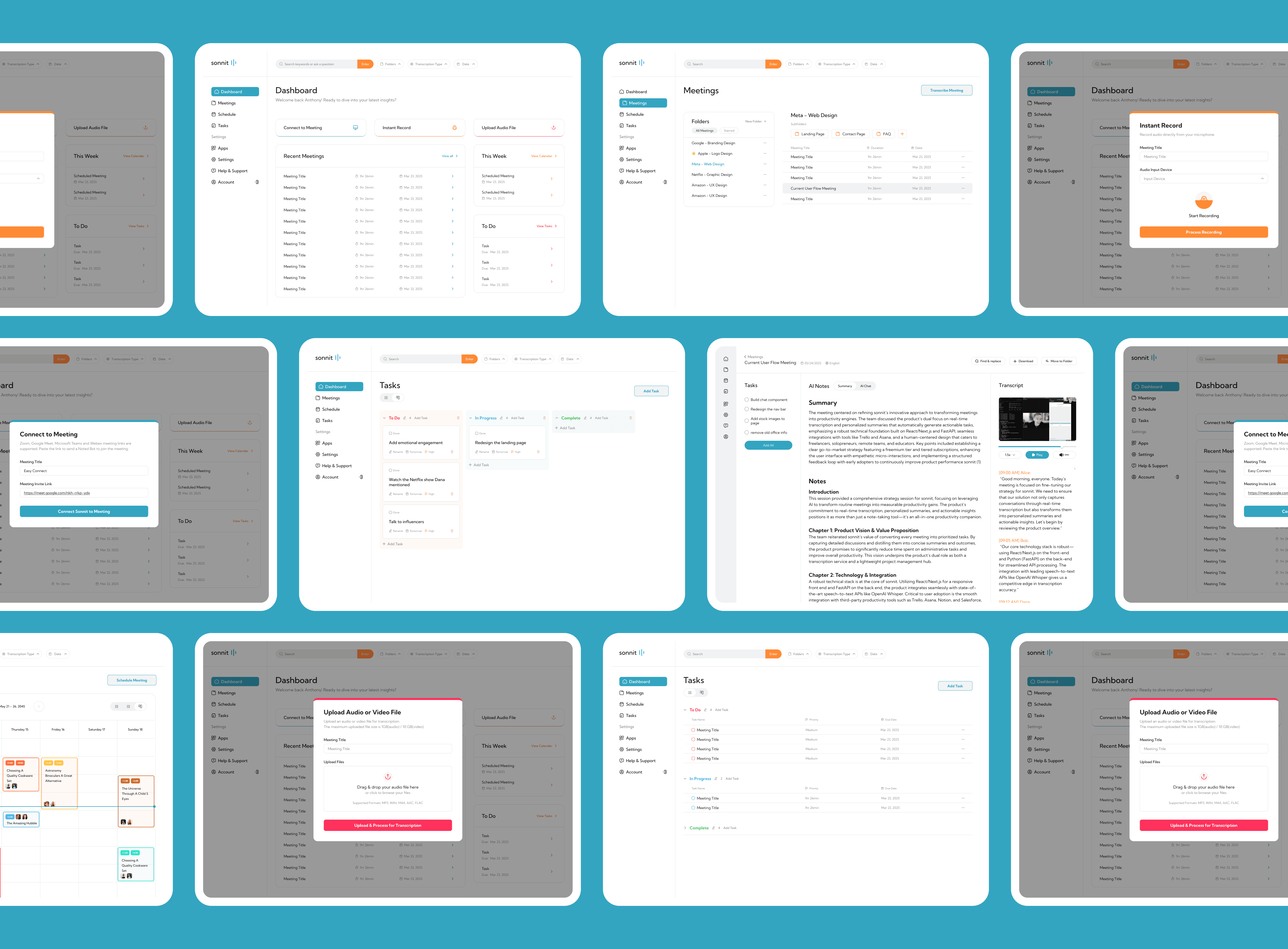
Core feature: extract action items from summaries and transcripts with auto-add to lightweight PM board
Clean, fast, and core to the product’s value
AI Meeting Assistant
Kept
Natural language AI to assist, recall, or answer any questions about the meeting
Simple, effective, and valuable for solving user pain-points
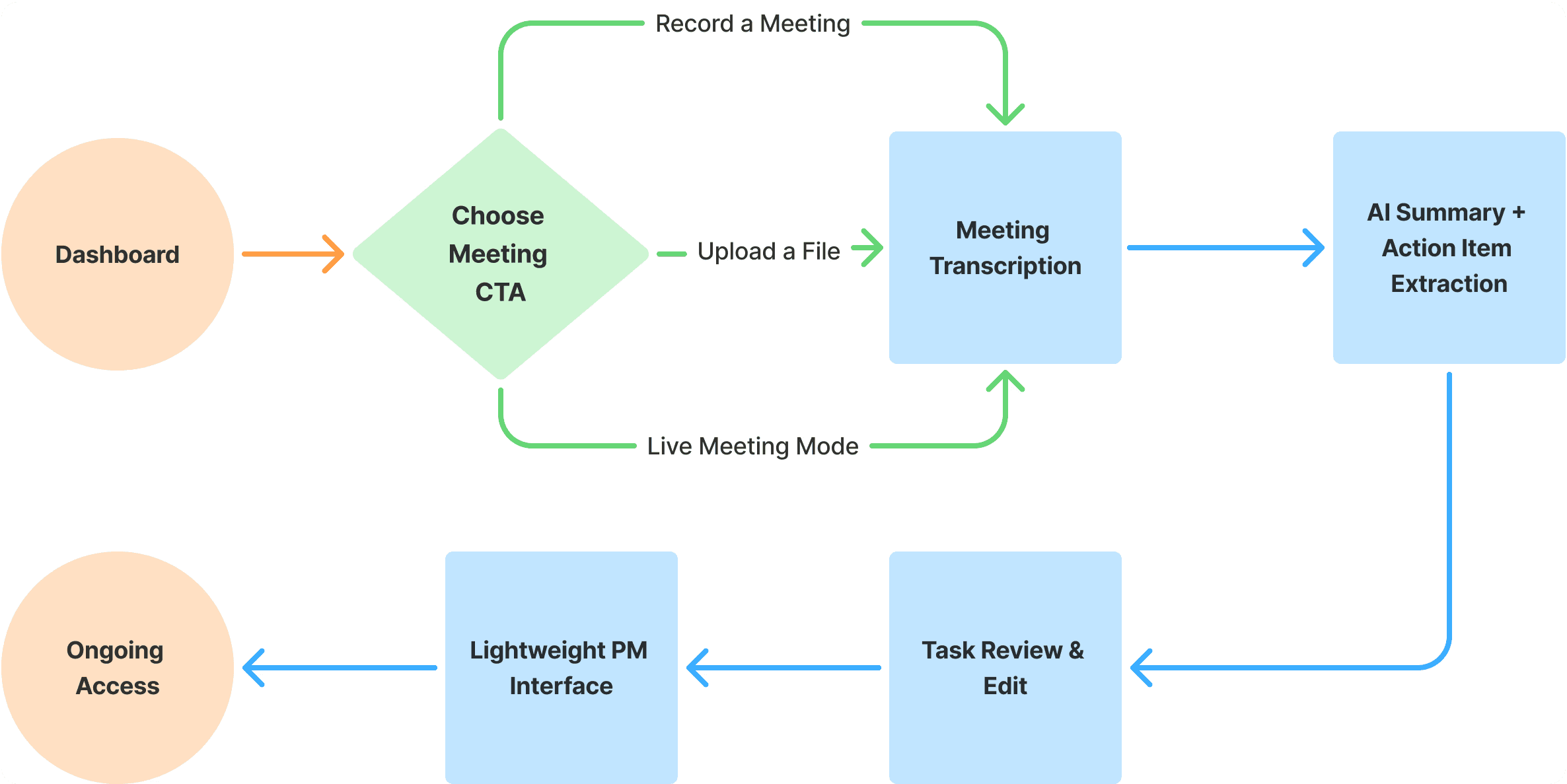
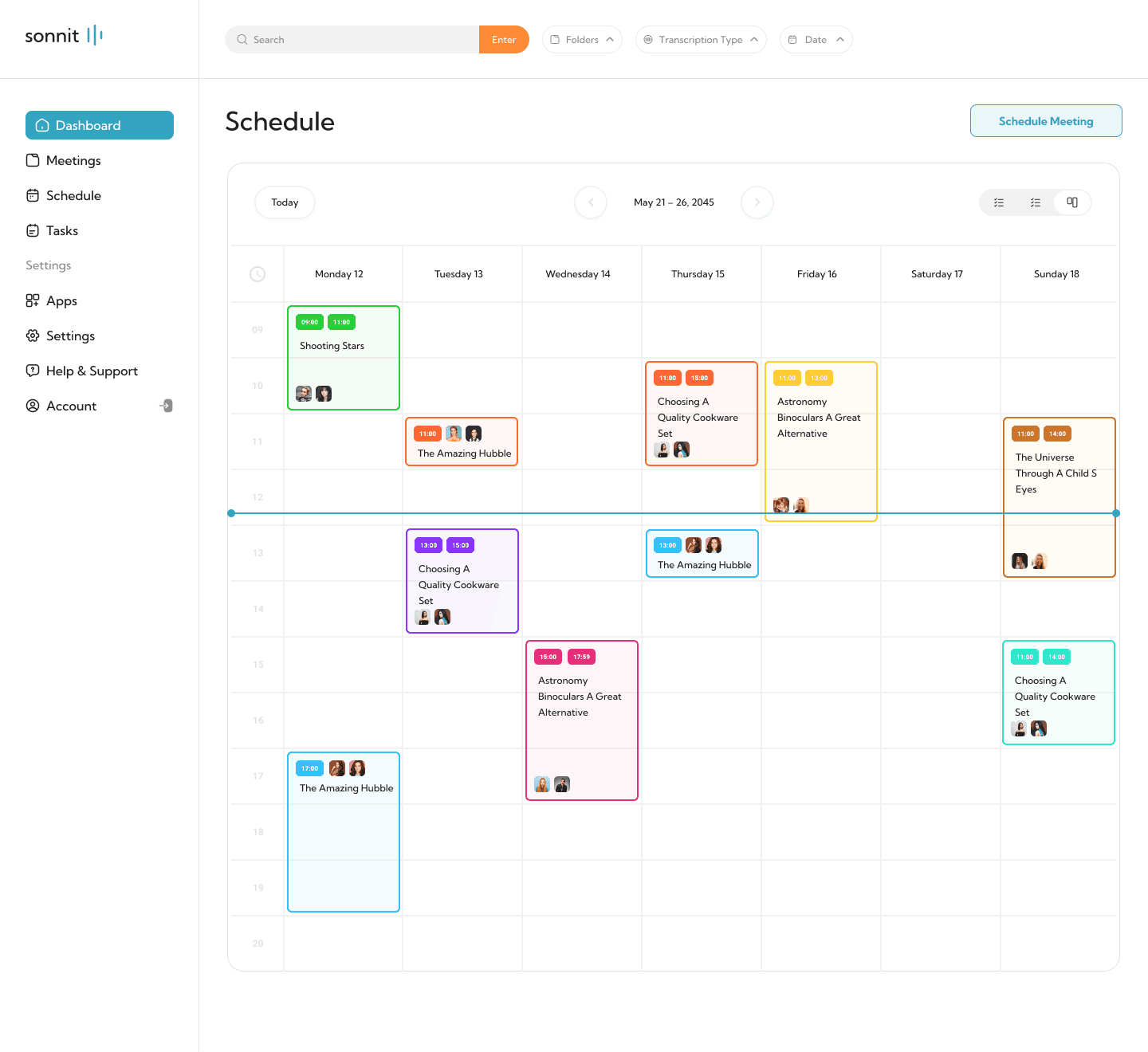
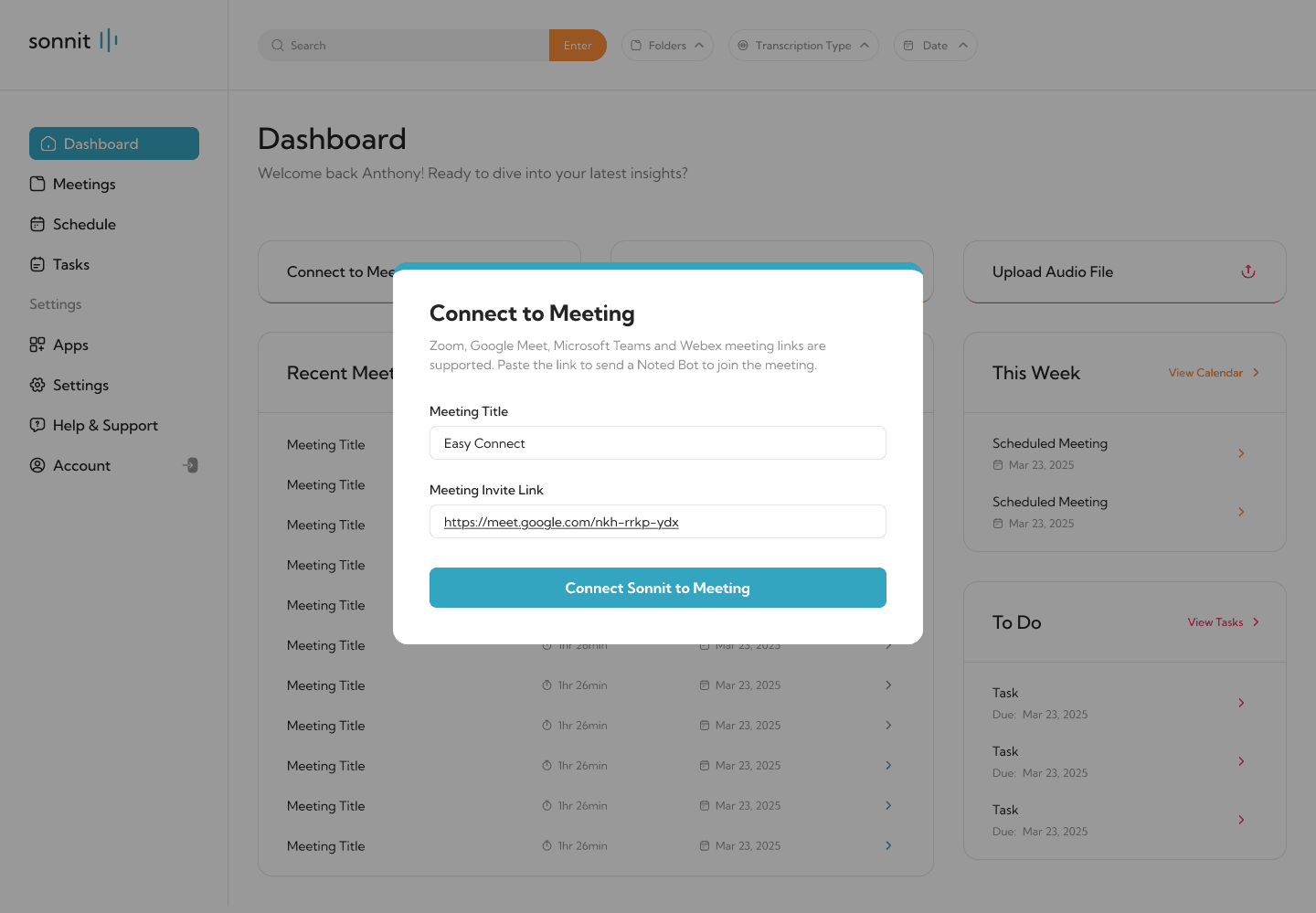
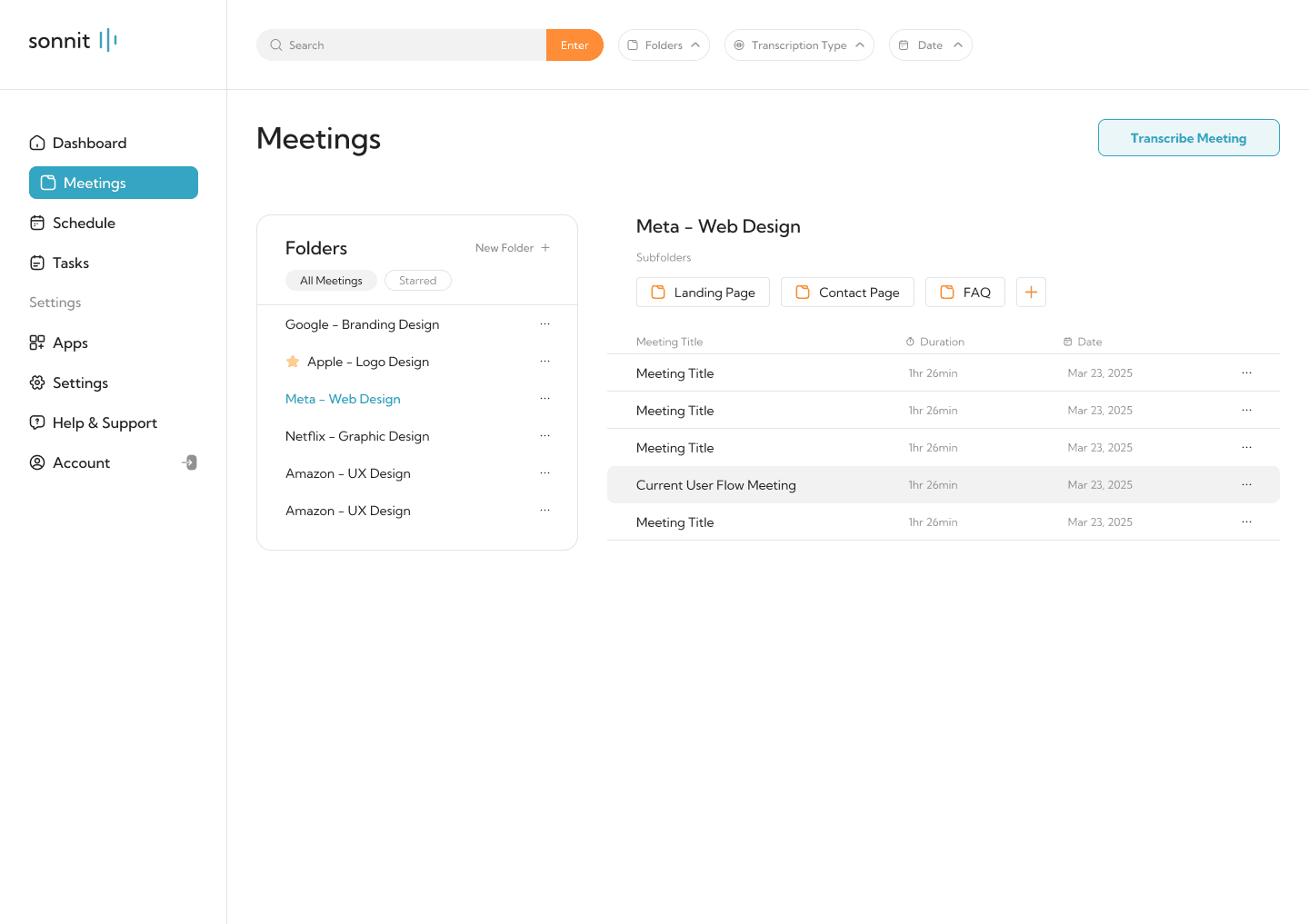
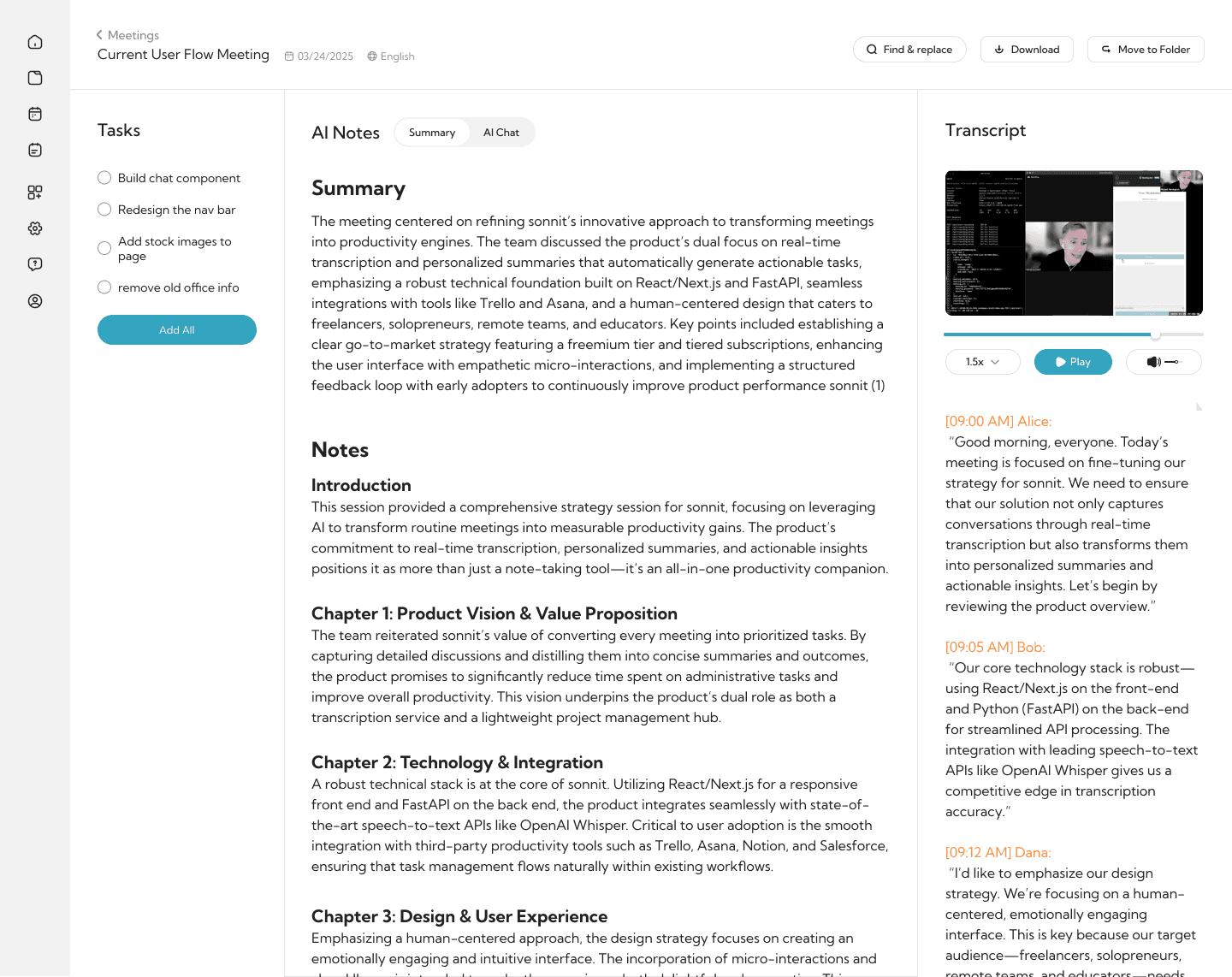
MAIN USER FLOW
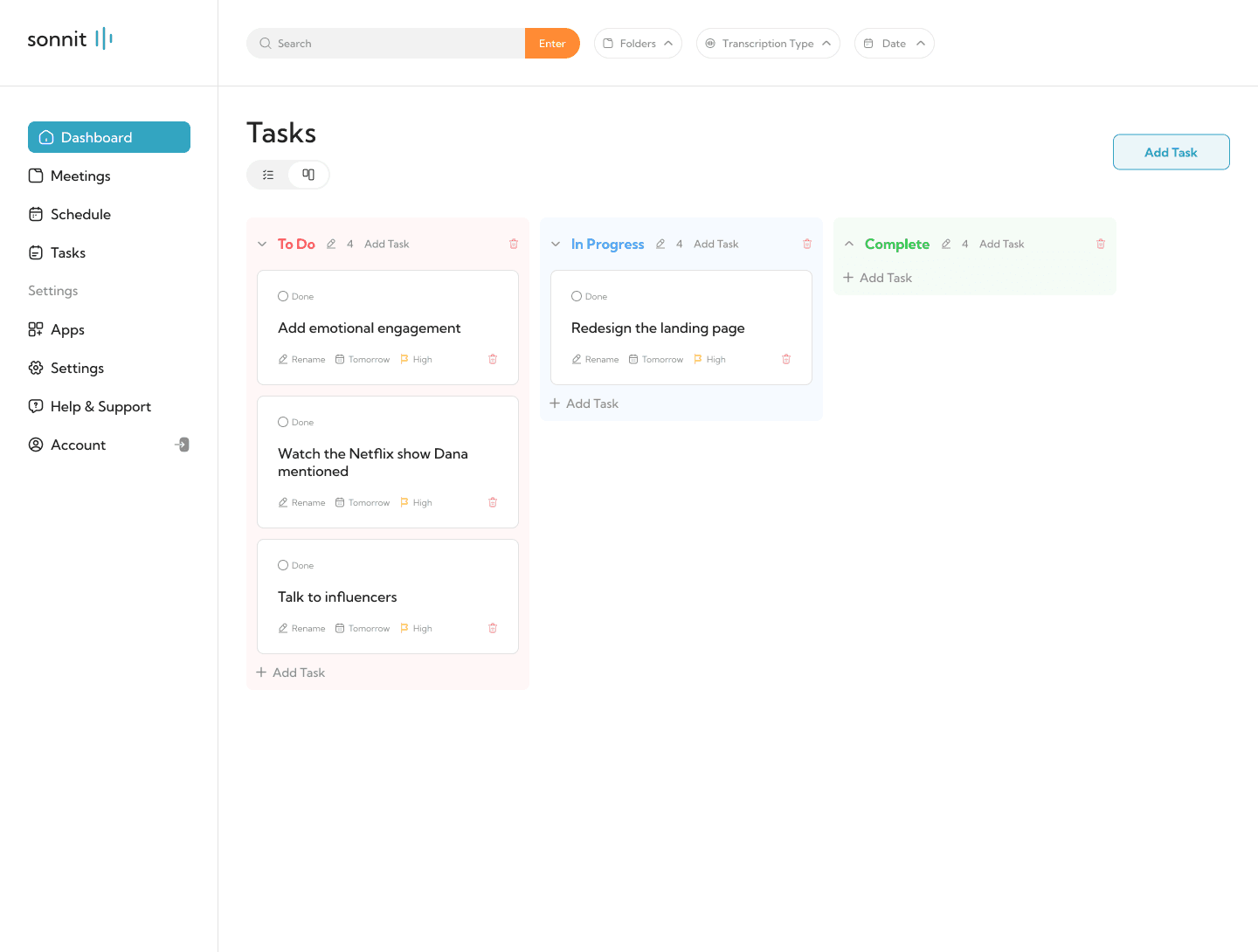
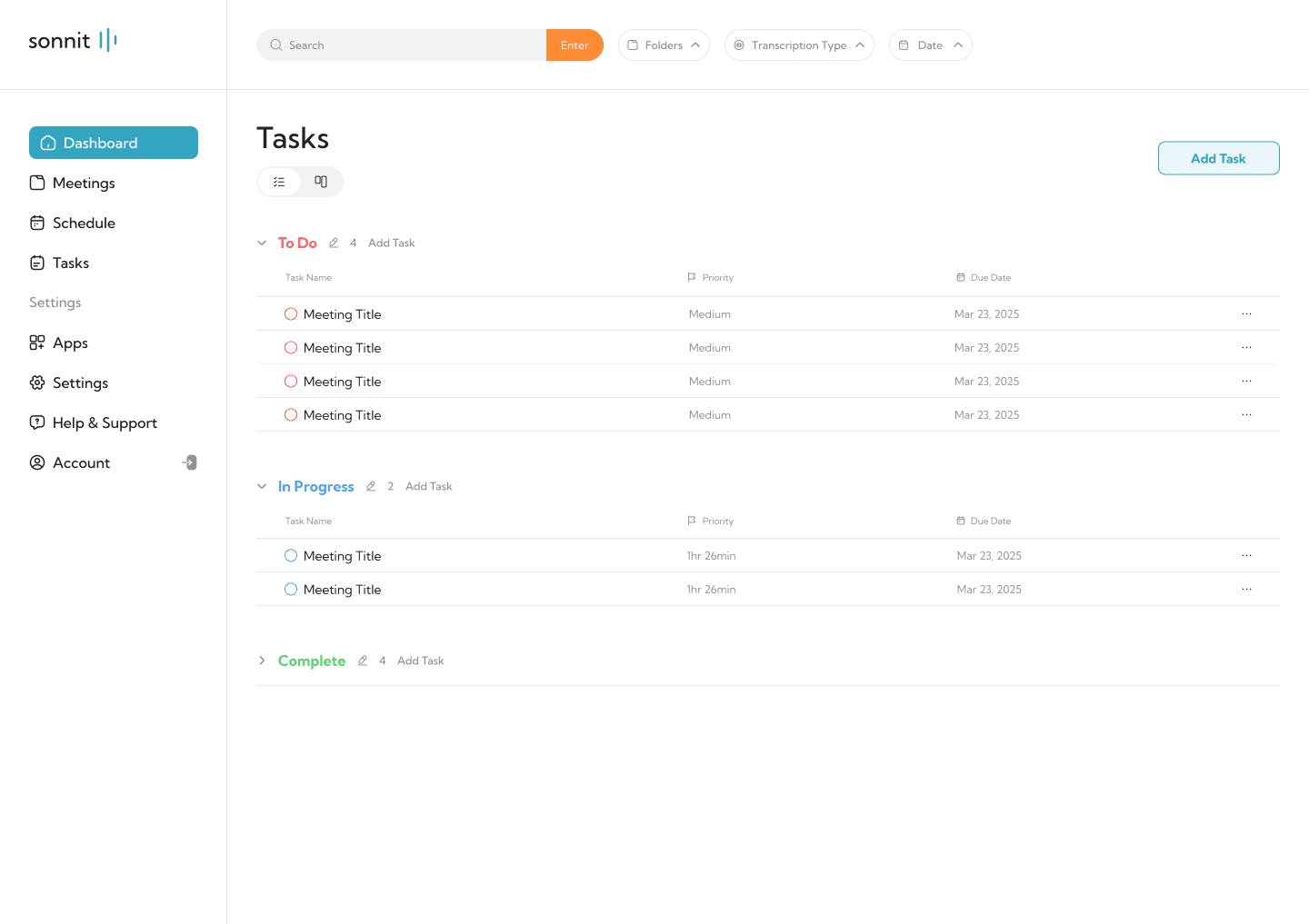
TESTING
My Testing Process Was Scrappy, But It Worked
APPROACH
I did not have a QA team or a beta group. I had myself, a few freelancer friends, and the internet. So I tested the way I could. First, I used Sonnit on my own calls for weeks. I recorded real meetings, ran them through the pipeline, and checked whether the summaries and tasks actually matched what was said. When the AI hallucinated, and it did more than I expected, I adjusted the prompts, added guardrails, and tested again. Then I posted demos on TikTok and tracked the response. The videos got over 37,000 views, and the comments were basically another round of user research. People were telling me what they liked, what they wanted, and what they would pay for. That feedback loop was more valuable than any formal usability test I could have run.
what was tested
1. Upload Flows
2. Transcript Readability
3. Summary and Chatbot Prompts
4. Task Accuracy & Relevance
5. Meeting Organization
Feedback
Iteration
"This task doesn't make sense… where did it even come from?"
Filtered small talk; improved prompt logic
"This summary is too generic. I still have to read the whole transcript."
Added bullet takeaways and exec summary
"It’s already hard to find what I’m looking for after just a few meetings."
Introduced folder-based organization by client/project
“I thought it broke—nothing was happening."
Added visual upload and recording status feedback
before & after
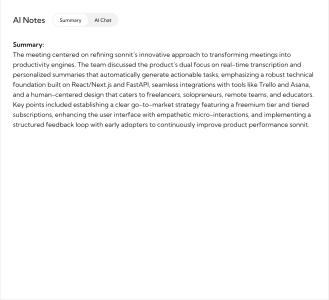
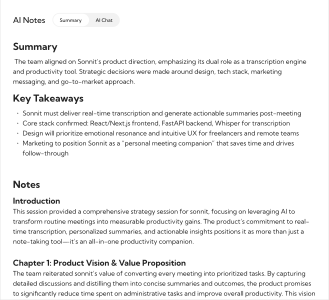
Meeting Notes Output
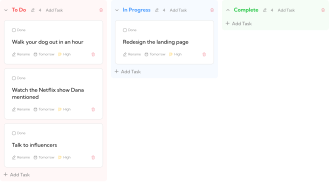
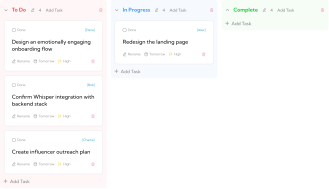
Adjusted the prompt that handles notes output to have a more concise summary with clear bullets and formatted notes to help users act faster.
Task Extraction
Filtered out small talk to surface only relevant, meeting-based tasks. Assigned ownership and tags to the transcript when possible.
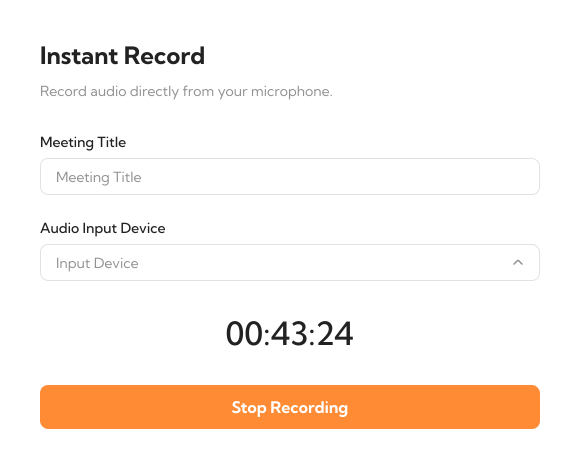
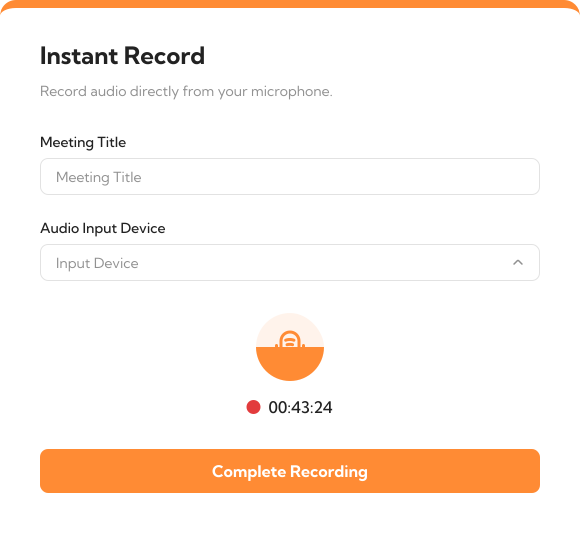
Upload/Record Feedback UX
Introduced feedback UI for file processing and recording to reduce user anxiety.
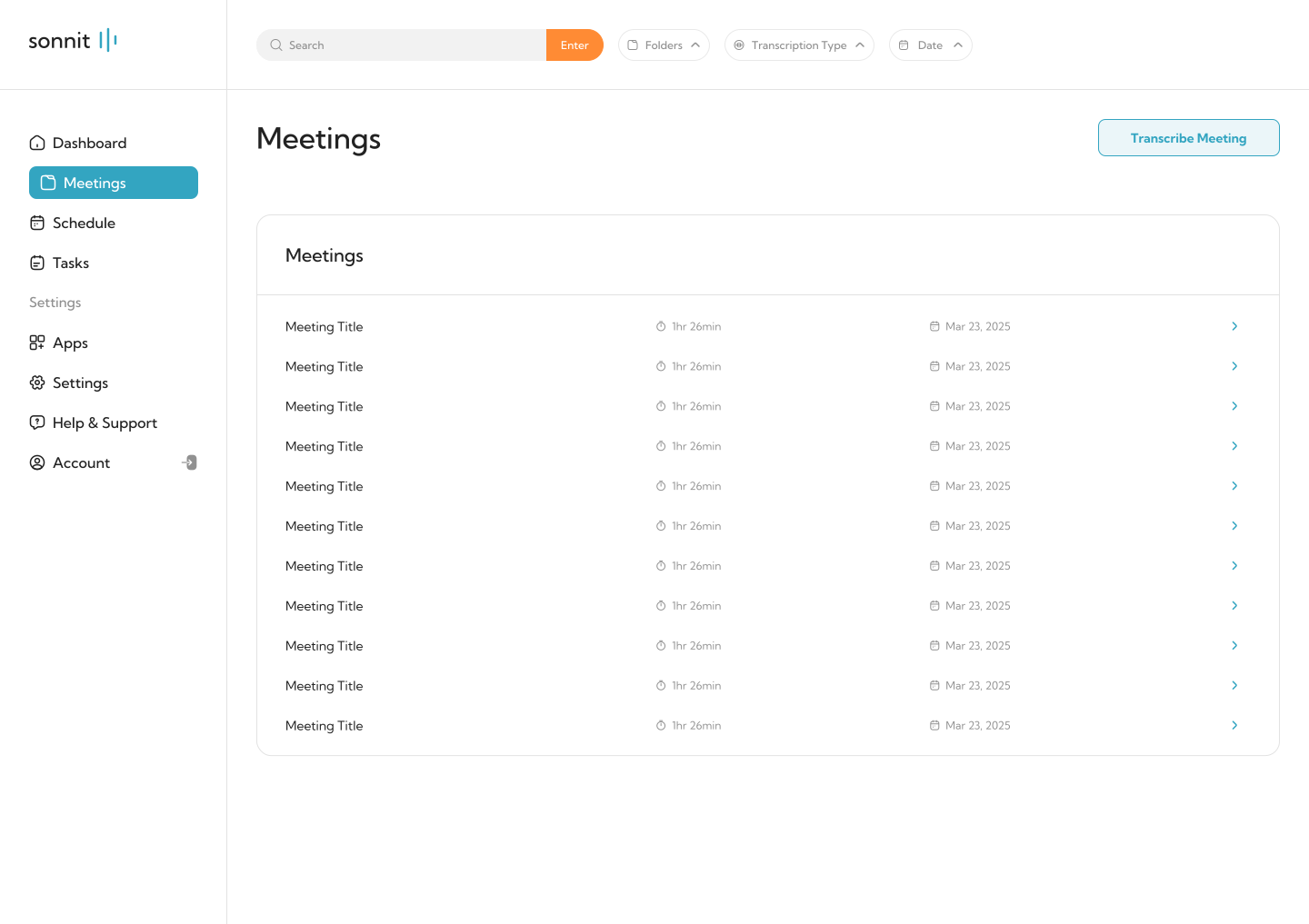
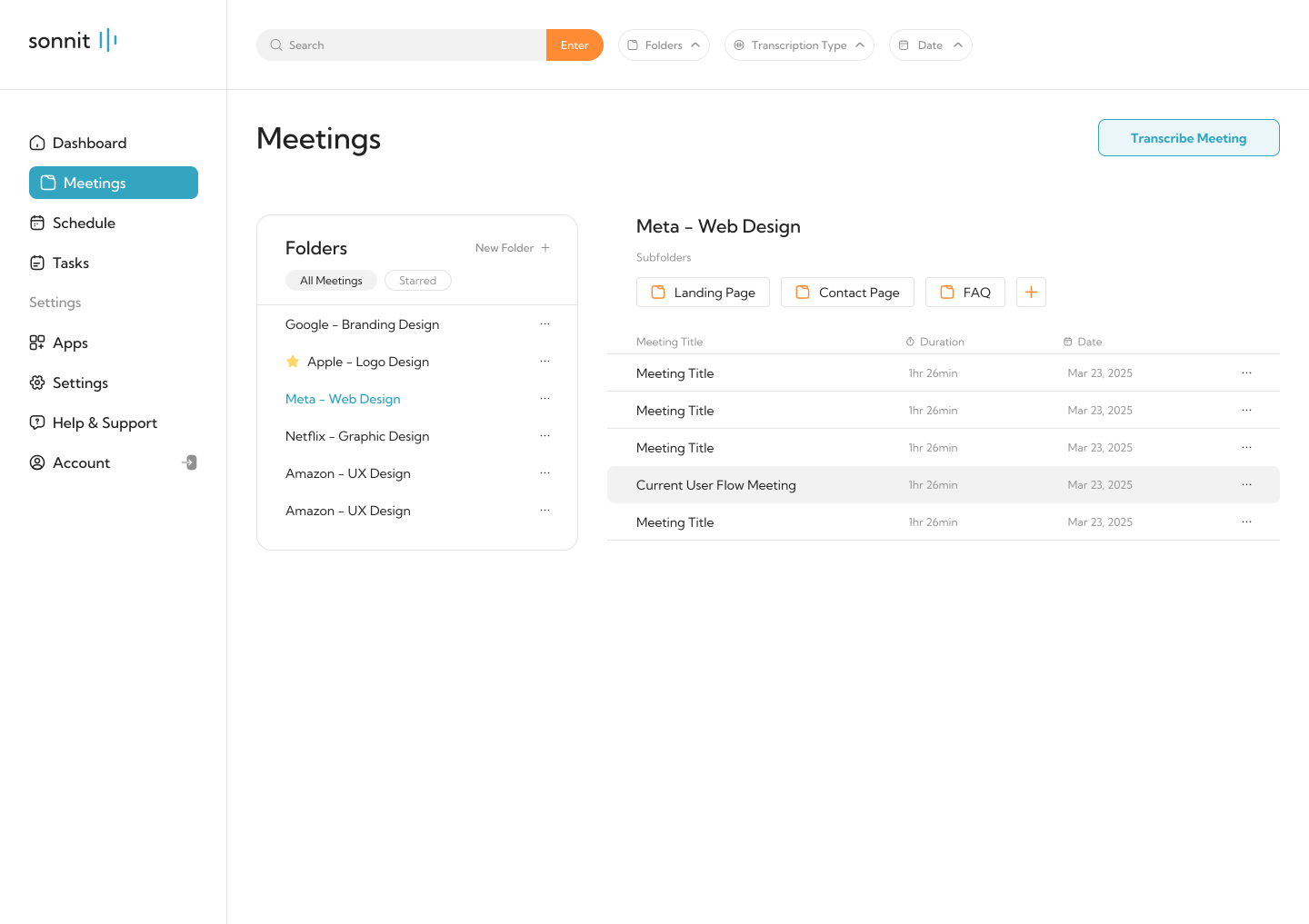
Meeting Organization
Meetings are now organized into folders by project, client, or custom tags, mirroring the mental model users already know from file systems.
SOLUTION
The Transcript Isnt the Product. The Outcome Is.
THE SOLUTION
Sonnit was not just built to take notes. It was built to help people move forward. Every decision from transcript formatting to how action items were extracted was focused on one goal: turn meetings into momentum. Whether users recorded live, uploaded a file, or connected a platform, Sonnit quietly handled the chaos and gave them back clarity.
core features
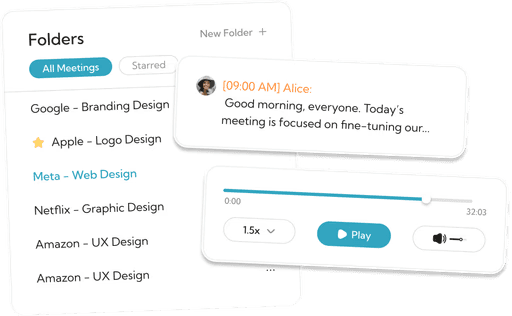
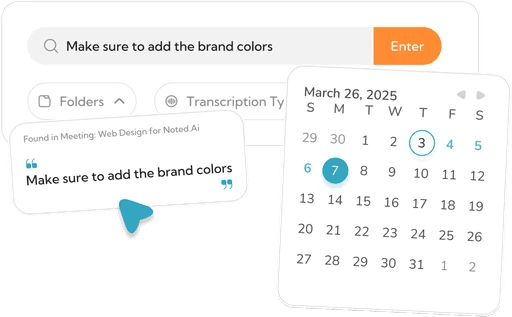
Problem: You forget critical details during live calls.
Solution: Record, upload, or link calls from your browser, Zoom, or Meet. Everything gets processed in the background while you keep working.
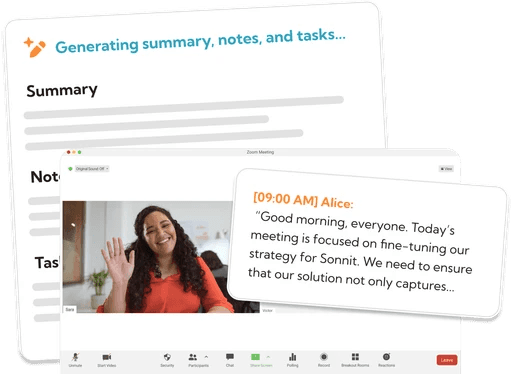
Problem: You waste time reading through transcripts or vague AI summaries.
Solution: Sonnit returns a short executive summary and bullet-point takeaways so you can understand what happened in under a minute.
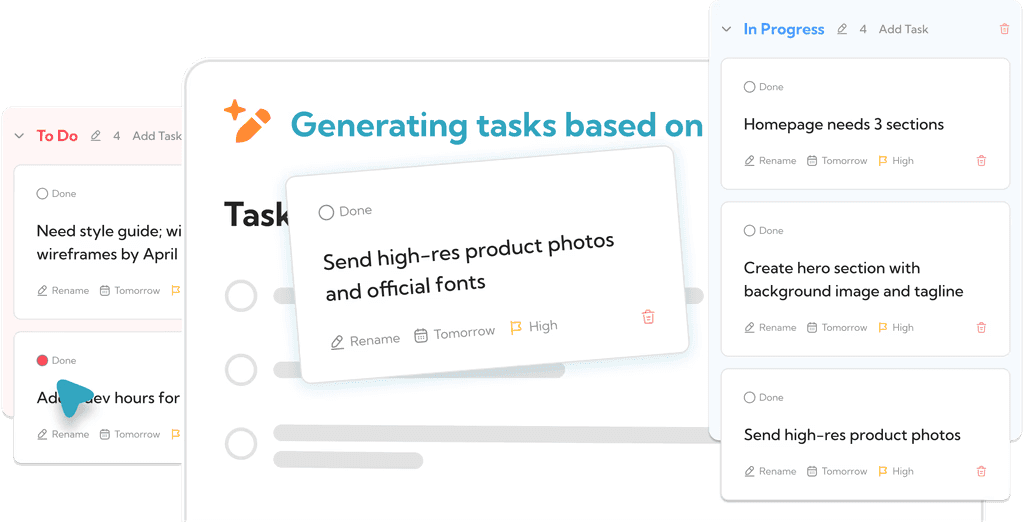
Problem: Most tools leave you to build your own checklist after the call.
Solution: Sonnit filters out small talk and pulls relevant tasks with ownership tags, ready to act on.
Problem: You juggle follow-ups across Notion, Slack, email, and your own head.
Solution: Sonnit includes a lightweight project board with statuses, due dates, and task organization, all in one place.
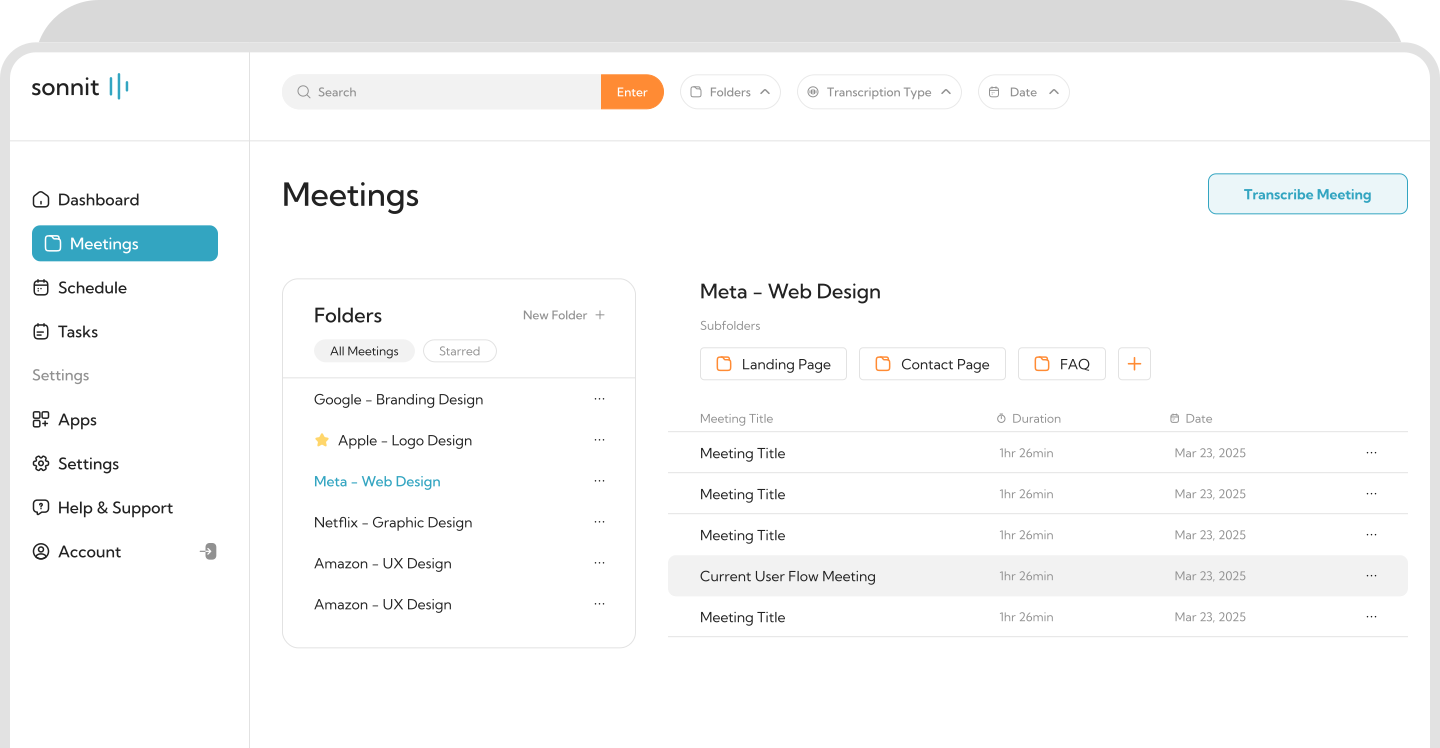
Problem: Over time, meetings pile up and you lose track of what happened when.
Solution: Sonnit organizes meetings into folders by client, project, or custom tag, like a Google Drive for your conversations.
RESULTS
From a Side Project to 37K+ Views and a Validated Problem
overview
Sonnit never shipped as a public product. But that is not the point. What it did was prove that the problem was real and that the solution direction was right. It validated a real user pain point, taught me to think like a systems designer, and helped me go from zero code to a full-stack MVP.
What it achieved
37,000+ views on demo content, with hundreds of comments from freelancers confirming the pain point
Built a functioning MVP with recording, transcription, AI summarization, task extraction, and folder organization
Validated a real need through community research without spending a dollar on formal studies
I shared the MVP with a friend who works at Amazon, and his response was encouraging and insightful: "This is a super cool concept. You are solving a real problem, especially for freelancers. I just think corporates might hesitate due to privacy concerns." This affirmed two key points: the product had strong use-case alignment with solo workers and small teams, and it raised important design questions around data trust, which I now factor into every product I design. My TikTok documenting the build received over 37,000 views and strong engagement. While followers could not test the product directly, the feedback was overwhelmingly positive. People were excited by the UI, inspired by the idea, and consistently told me to keep going.
STRATEGIC OUTCOMES
Sonnit was my first full-stack product from concept and design to AI integration and front-end build. I learned tools like Supabase and Cursor, and gained a foundational understanding of development. I developed a design-to-dev mindset and began to think like a product owner, not just a designer. I collaborated with a friend, a developer at Amazon, and we have since started exploring new ideas together. More than anything, Sonnit gave me the confidence to build. It showed me that I could own the end-to-end process and create something useful, even with no prior coding experience.
PRODUCT POTENTIAL
If launched, I believe freelancers and students would have been early adopters. The core use case, stay focused during meetings and let AI handle the memory, still holds strong value. While I have decided not to continue the product, Sonnit served its purpose: it opened the door to building, shipping, and growing.
REFLECTION
What Building Sonnit Actually Taught Me
big picture
This project changed how I think about design. Not because it was a massive success, but because it forced me to own every part of the process. Research, strategy, development, testing, marketing, all of it was on me.
what surprised me
People don't want more data from their meetings. They want less data, but the right data. AI outputs need guardrails, edge case testing, and constant refinement. Users will forgive imperfection if the tool is honest about its limitations.
what i'd do differently
If I were to build again, I would:
1. Collaborate with a backend developer from day one
2. Worry less about early UI polish and more about clean architectureBuild with security, performance, and scale in mind, even for an MVP
3. Document everything from the start
That said, working scrappy gave me momentum. It forced me to make calls fast and build a real feedback loop between design and development.
new approach
Sonnit reshaped how I think about UX. Now I ask: What is the job the user is really hiring this for? How do I reduce friction without adding noise? Where does trust break, and how do I build it back? It also taught me a lesson that stuck: no matter how much you test, the first version will never be perfect, and that is not failure. That is iteration.
closing thought
Sonnit did not ship. But I did. And that moment of turning an idea into something real is what made me a builder.